Interview·April 3, 2026·59 min
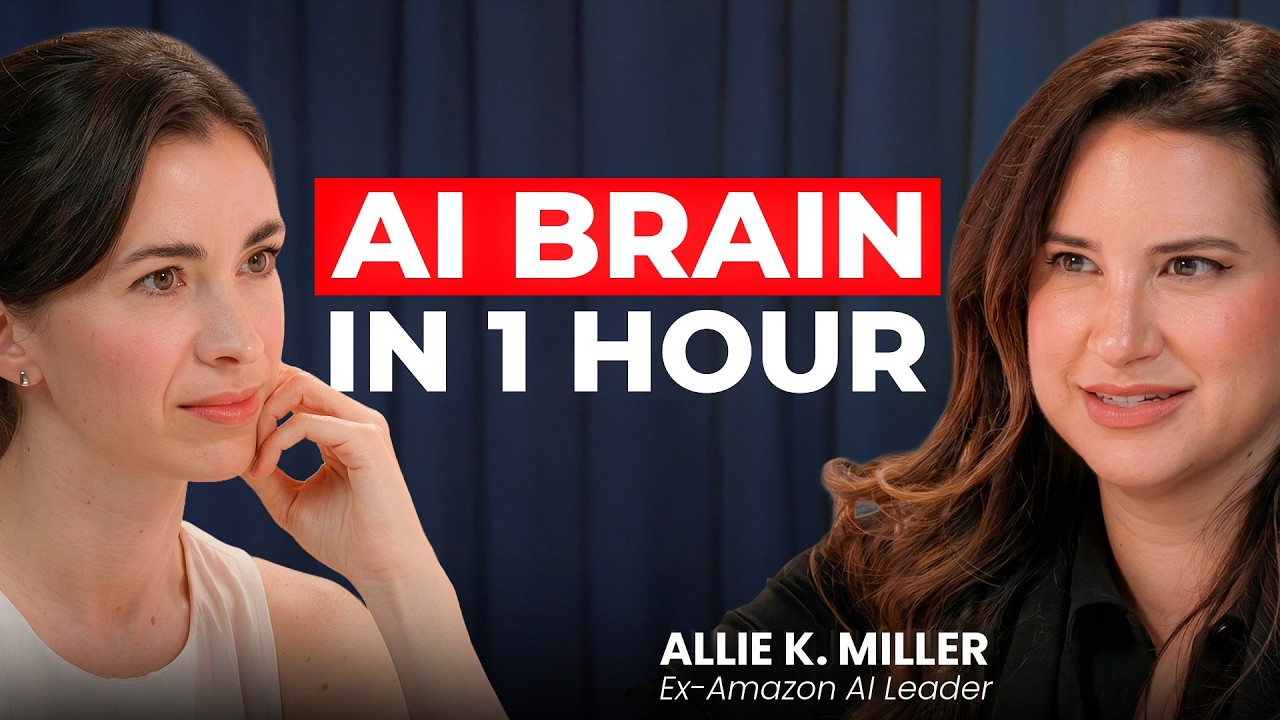
Ex-Amazon AI Chief: 59-minute step-by-step tutorial on how to build your second brain with AI | Allie Miller
TopicsAI tools and workflows
In this episode
Allie Miller, the #1 most-followed AI business voice on LinkedIn, walks Marina through her exact AI productivity system: 36 proactive workflows and roughly 100 agents running autonomously around the clock. She demonstrates live how to build a morning briefing agent from scratch inside Claude without writing any code, and explains the 3 context documents every person should create before setting up AI workflows. The conversation covers why most people are operating AI at only 20% of its potential and what mindset shifts separate those winning with AI from those falling behind.
Key takeaways
- Most people use AI at only 20% of its potential — the real leap comes from shifting from asking AI questions to delegating multi-hour workflows to autonomous agents that take action on your behalf.
- Allie runs 36 proactive workflows with ~28 master agents, each spawning sub-agents, totaling roughly 100 agents working while she sleeps — delivering a 2x–10x productivity gain depending on the task.
- You don't need to write a single line of code: tools like Claude Co-work, Codex, and Claude Code allow anyone to schedule and automate agents entirely through natural language prompts.
- The best way to write a prompt is to 'just complain to Claude' — describe your frustration or need conversationally and let the model help refine it into a working workflow.
- Creating 3 core context documents first is the foundational step before building any agent system, as these documents give AI the background it needs to act accurately on your behalf.
Chapters
- 00:00Teaser
- 01:0610x Productive with AI: 36 workflows, 100 agents. How this system actually works
- 05:57Setting Claude for non-technical
- 07:14The best way to write a prompt: just complain to Claude
- 09:30Claude Chat vs Claude Cowork vs Claude Code — what's the difference
- 13:24Live demo: building a morning briefing from scratch
- 15:53What is a "skill" in Claude — the toolbox explained
- 19:01How to migrate between AI systems in minutes
- 20:27AI as intern vs AI as teammate — why it matters
- 23:043 context documents everyone should build first
- 33:46How Allie uses AI to run her consulting business
- 35:40Allie reviews Marina's Claude setup live
- 40:10When to trust AI and when not to
- 46:05What's coming in AI in the next 12 months
- 49:45Your AI will know you better than your strategist
- 52:11What happens to teams when everyone is 10X more productive
- 54:25The gap in 1 year: Claude user vs non-Claude user
Transcript
Allie Miller: So every morning I wake up, my AI agent has already been working for me for several hours. This is Allie Miller, one of the top AI voices in the industry. She advises enterprises and business leaders, including those at OpenAI, Google, Anthropic, on how to use AI. And today, she shows us exactly how you can build this, too. Yeah, I have 36 proactive workflows with 28 like master agents. You can schedule things within all of these tools so that you while you're sleeping or doing other things or on a walk or hanging out with your dog that things can be running on your behalf from two years ago, how much more productive are you now with AI? Depending on the task is anywhere between like 2x and 10x.
Allie Miller: Welcome to Silicon Valley girl Allie.
Allie Miller: Thank you for having me in glorious San Francisco.
Marina Mogilko: Let's pretend it's real.
Marina Mogilko: We are in the Bay Area though.
Marina Mogilko: The window view is stunning. Um, so today we're going to get very practical. So can you tell me if we do something today, how is somebody's life different in a month once they deployed everything we're going to talk about?
Allie Miller: I think there's definite impact on productivity, right? The ability to not only make certain things go faster. My actual hope if we can get there is to give people the mindset shift that is needed so that even if I didn't get to your specific use case, that you can kind of apply that learning to anything that you might do for your business, whether it's marketing or sales, creating brand new products. Uh, and then also maybe I think I just want to give people a little bit of a guide so that they can see where things are going so that they feel a little bit less terrified. Those we're setting big goals, but that would that's at least what I do with my clients.
Marina Mogilko: So, what about you? Uh, can you talk to me uh about Allie for example from two years ago? How much more productive are you now with AI?
Allie Miller: So the last uh two years we've seen like a big paradigm shift about a year year and a half ago into like new age agentic AI. So two years ago you could kind of ask AI to do research for you. You'd get back a sort of synthesis and you would have to do that take that knowledge and then do something with it. But now the AI system that you're using or multiple agents can take action on your behalf. So when I look at an AI assistant that I just ask questions to and get an answer back versus a thing that is meaningfully taking delegated work from me and managing multiple hours worth of work and workflows, this felt like 20 to 30% productive. This depending on the task is anywhere between like 2x and 10x.
Marina Mogilko: Wow. So you're saying you actually have an AI agent who's your assistant who's doing things for you. Can you describe what it actually does?
Allie Miller: I have 36 proactive workflows with 28 like master agents and each of them spin up probably two on average. So call it 50ish sub agents and those are so so that's that's almost a thousand agents right almost 2,000 agents.
Allie Miller: It's oh not per workflow just as a total so it's somewhere around like a hundred total agents but what I look at is what can AI do that I don't have to kick off like this is one of the biggest changes and I think any single person even if you're just asking it like hey find me industry news this morning. If you know that you're going to go to it every single morning and ask that question, that process of asking, not just the task itself and the prompt itself, but the task should be automated. So, if there's like a competitor that you want to check in on every single morning, that should be scheduled. You can schedule things inside of Claude Co-work, inside of Code-ex, inside of Claude Code. You can schedule things within all of these tools so that you while you're sleeping or doing other things or on a walk or hanging out with your dog, okay, that things can be running on your behalf.
Allie Miller: So, when I say 36 proactive workflows, those are the things that my hands are up and they're constantly coming in as a new stream.
Marina Mogilko: Is that an email that you're getting every day or how does it look like?
Allie Miller: That's a good question. Um, most of them are emails. I have them routed into different folders, but just two examples. Um, every single Friday morning I have a recap of all of the urgent emails that I have not yet responded to, ranked by urgency, uh, drafted, you know, some replies so that I can get to it faster. Um, it includes little, uh, the ability to delegate to people on my team, uh, and reminders if I don't reply to those emails. So that's a Friday proactive agent that is scraping, you know, my Gmail for the last 5 days and gets me a little download. Uh, second one is morning briefing. So every morning I wake up, my AI agent has already been working for me for several hours, which is great. And I wake up and I get this full readout of industry news, things that are happening in New York City or San Francisco that day that I can just have a social life, god forbid. Uh I get, you know, um kickoffs for my meetings. So, if I'm having a client meeting and I'll be sitting down with like a Fortune 500 CEO or maybe it's their CFO and I haven't met with them yet, then in that proactive system in that morning brief, all I have to do is like write back with a keyword and I can kick off uh an AI agent to make assets for that meeting.
Marina Mogilko: So, it connects to your calendar, right? So, it knows everything. When you're saying something like, okay, every morning you get this email. Can anyone build this or does it require technical knowledge?
Marina Mogilko: None of what I will be describing
Allie Miller: in the next however long we decide to chat for will require technical coding skills. The one thing that I do want to call out is that these tasks that you're completing code is running in the background. Like in order to have Claude figure out how to grab stuff from Gmail and bring it back, how to grab stuff from other areas of your Google Workspace or your Fireflies or Granola and bring it back. All of that is usually set up through like an API where it's able to retrieve and bring it back. That is code-based. You just don't have to know how to code to get it done. So, you can ask in natural language, "Hey, Claude, I usually uh find myself really stressed before a client calls. I wish that I knew every day whether I need to bring an umbrella cuz I keep getting rained on and New York has horrible weather. Uh, I feel like I'm uh constantly trying to find meeting blocks and I'm struggling to find deep work time. Help me." And Claude will come back to you and say, "Wow, really sounds like you need a proactive meeting blocker. Sounds like you need a proactive client prep skill." Right? All of these things. I I know it sounds deceptively simple, but like the best first step to figure out what Claude should code to help you is just to complain. Like it it is it is so simple. And and I even still forget it. Like last night, I was complaining about having photos on my Android versus my iPhone. And Claude was like, "Here's what I'm going to do for you. I'm going to set up a Google Drive folder for you. Then you're going to put in here. Then I'm gonna pick between these photos and classify them. Then I'm gonna email your team. And I'm like, Claude.
Allie Miller: Oh, that this actually sounds amazing. You you wonderful thing. But it starts with a complaint. And all humans know how to complain. It's the joy that you get from having your complaint faced with not just like emotional validation, although that, you know, does feel nice sometimes, but like at a certain point, I don't want to be validated. I want that problem actually to be solved. So complaining to Claude, having it work with you in real time to come up with a solution that makes sense, but working back and forth with an AI and iterating on that delivery method. That's the fun part.
Marina Mogilko: I think also another tip uh that I heard I think from you ask Claude to ask you questions like if you can't figure out can you walk me through that? Do you just ask it? Because I feel like you're you're talking about even this email that you're getting, it's already very sophisticated because it gives you suggestions. it's a certain amount of time in certain um period of time and then it accesses specific information that you want. How do you know what it should be doing?
Allie Miller: So there's two parts of this. There's like the basic answers of just how do I get it set up? What are basic functionalities? And then there's the added delights. So on the first, you know, part of it, you can ask Claude code one of two ways. You can either literally just say, can you ask me questions to figure out the best way to do a morning briefing? Or there's a built-in skill that Claude Code has that I'm sure many other providers are trying to roll out too called ask user questions. So you can say, "Hey, go ahead and ask user questions using the ask user question skill and ask me, interview me about how I should set up my studio and the types of microphones that I should have and the type of water and the type of furniture." And so it'll go through questions until it gets to a decent level of understanding and then it'll go through planning mode and help you think through that.
Marina Mogilko: And it's actually very simple. It just gives you a button, you press it and that's it. Right. If you if you're using Claude chat.
Marina Mogilko: Oh yeah, is basically Claude chat, Claude Co-work. Those are great.
Marina Mogilko: Let's let's uh describe the difference.
Allie Miller: Um so there's three versions of Claude. Uh technically four. So, four versions of Claude and again other providers have multiple versions as well. So, out of the four, there's the normal Claude web app that we're all used to. Single chat threads, the ability to ask a question, get it back, it can browse the internet for you, and you can very easily spin up projects. You can very easily connect it into Notion and Gmail and a lot of other pre-built connectors. It is a lot harder for AI to take action for you in that zone. It's not really writing code and solving your stuff, but it's very helpful at retrieving answers. The next level up from that is Claude Co-work, which is a business professional agentic AI tool um or platform that allows you to kind of do a lot of what I just described with web, but you can point it at local files on your desktop or have it take action. Let's say like, hey, make me a Google doc that blah blah blah Claude Code, you're going to have a lot more control, uh, a lot more capabilities, a lot more customizability. You can build, uh, software that way as well. And then the fourth one, which is kind of like the random little cousin on the side, is the Claude Chrome extension.
Allie Miller: So, if you wanted to, let's say, take a lot of, you know, photos of your kid and make it into a collage and you were on Walgreens website and you were on the literal make me a poster page, you could just have Claude take over your mouse basically and govern your Chrome window to take action for you on a specific tool. So, those are the four, but those skills that I was describing can be used in any of the first three.
Marina Mogilko: Ally just walked us through her setup. 36 proactive workflows around 100 agents of running while she sleeps. And here's the thing, every team hits when they try to build something like that. It's not the technology, it's context. Your strategy lives in one tab, your tasks in another, and every time you bring AI in, you're basically copy pasting into a blank prompt that had zero idea what your team has already figured out. That's exactly the problem Miro AI workflows is built to solve. Your team's existing work on canvas becomes the context for AI. No retyping, no starting from scratch. So, ahead of this episode, I ran an experiment on something we do every single week, guest research. I put Allie's LinkedIn posts, her newsletters, transcripts from her recent interviews, and dropped everything straight onto Canvas. You can find all the documents and notes in one place. And here's what makes Miro different. The canvas itself is the prompt. That's how Miro keeps your AI grounded into your actual context, not generic information. I also set up a research sidekick, a custom AI agent that sits on the canvas and can answer follow-up questions about the material as I prep. Think of it as a specialist who's already read everything. Then I ran a flow, a visual multi-step AI workflow, and set up four theme zones. Her AI agent setup, future of work predictions, practical advice on how anyone can start and the angles nobody has covered. One click, Miro analyzed everything across all four zones and generated a summary document. Then I opened my custom research sidekick and asked it to extract the strongest themes and generate the interview brief. One minute later, the sidekick pulled the central episode angle, the three strongest questions, and the most counterintuitive thing she believes. Exactly what our audience needed to hear. If your team is juggling AI tools that don't talk to each other and none of them know what you've already built, Miro AI workflows is worth trying. Link is in the description. Now, back to Allie. Let's actually build something. So,
Allie Miller: I'm going to say and I'm going to use the built-in functionality of voice. Okay. So, I'm going to say, do we want to do that like morning brief?
Allie Miller: Let's do the morning brief. Yeah.
Allie Miller: Okay, cool. Okay. I feel really stressed every single morning and I want you to make me a morning brief. I don't want to yet give you access to my calendar and my email because I don't trust you yet. So, at the very least, I want you to pull research related to my industry and I am an executive at Apple TV and I want you to pull, you know, recent news and press releases there and summarize at least the top three. Um, you should measure the top three based on what is going to impress my bosses the most when I walk into a meeting the next day or what is the most talked about that I should definitely know about. Second thing I want you to pull is the most insane AI stories related to my industry and you should write it in a way that uses the word game changer and wild every other word. I also want you to pull the weather and tell me what to wear in a given day. I am based in San Francisco, California. And because I am trying to be more social, at the bottom of this recap, can you also go ahead and add three fun events that are happening in San Francisco in the next 4 days?
Allie Miller: Wow, that was quite a prompt. Yeah. And I don't even think about this like prompts anymore, right? I'm going to hit enter on this, but like I I just don't think about prompt engineering anymore. The rambling for 1 minute, 10 minutes is going to be more valuable. Not because it's longer, although that is helpful sometimes. It is because I have been able to communicate all that weird nuance, all those weird like the fact that I'm telling it when I'm stressed. So, it came back. It says, "What time do you want the morning brief delivered each day?" Let's do 6:00 a.m.
Allie Miller: Yeah. And let's ask it to show us a sample for today so we can see the result.
Allie Miller: Yeah, of course. How do you want the brief delivered? And it says markdown file, Word doc, or PDF. Let's ask for it in a word doc. All I've done is answer those two questions. And it's like, love it. 6 a.m. Let me go ahead and build this for you. And so, it is going to spin up a progress report for me in the top right corner. So, it's using reasoning. It's coming up with these six steps, and I can track its progress. So, the first one is reading the skill creator instructions. So, it knows how to create a skill. Let's define skill, by the way, because we mentioned it several times. Skill is basically like a long prompt, right? Um, yeah, with some extra little jeies. So, imagine you're a mechanic and you have a toolbox. Let's say inside the toolbox, you got a hammer, a screwdriver, a wrench, and a bunch of other things.
Allie Miller: Let's say that in that moment, you're like, I need a wrench. So, Claude has the ability to look inside of its toolbox and go, you know, she's asking for this like bolt. I have a wrench. this is perfect and starts using the wrench, i.e. that skill.
Allie Miller: But it can also build brand new tool skill things for you. So, it can add new things to your toolbox. So, if you're like, uh, actually, I need you to cut a lot of wire. None of the tools that I just described would allow you to do that. And so, you can have it walk you through building up a new skill, right? Adding a brand new thing to your toolbox. So basically if if I'm a social media person that would be like how I write a LinkedIn post, how I write a script for my reel, how I select a guest for a podcast and like and also you should have one for your brand guidelines. You should have one for this anti-AI language like so that anything that you're working on you can apply the skill of remove all this AI language for me so it's not just your social media post.
Marina Mogilko: So basically instead of giving it a long prompt here is my Instagram, this is how I do it. I want to get 100k whatever.
Marina Mogilko: You just it's like a 200line document exactly in a
Allie Miller: folder sitting with some other documents that might include examples of your social post might include your social performance download like a CSV of all the data over the last 12 months or seven years or whatever it is. But basically, it's a folder with one file that describes what the heck you want it to do, which might include things like access this tool, like go to Gmail, go to Google calendar, whatever. And some resources, some examples, but like it is a folder and anyone can make a folder. And if you don't want to make it from scratch, like the thing that I was going to say that um Claude kicked back with is that I said, "Hey, do you know how to build a skill or whatever?" And it's like, yes, not only can I build a skill for best practices and whatever, but I have a skill creator tool. So that is a builtin functionality inside of Claude. So that if you want to build a new skill like write in my brand voice for my newsletter or if you want to do a skill like um take all of this survey data that I got from my last you know Zoom poll whatever take all of this and summarize it into action items for my analytics team to act on or for my growth marketer to act on. That is a repeated thing. You're like I got to do this all the time. Seems pretty easy. Maybe it needs access to a tool. Maybe I'll make it a skill. And at the worst, you can always just ask cloud. You can be like, I do this a lot. Do you think I should have it do a skill? Or you can describe your entire day and say, come up with three skills that I would need to build.
Marina Mogilko: I really like what you just said. Uh whenever you have doubt, just ask cloud. It knows whether it should be a skill. And what I like about skills is that you can migrate them. Like tomorrow, you decide to use Perplexity or Computer, you just upload the skill to Perplexity and it uses it. Same with ChatGPT. Same with whatever you're using.
Allie Miller: Also, asking Claude for answers doesn't always mean you're relying on Claude's answers or trusting Claude's answers. You know, if it says, "Sorry, I can't build a skill and be like, no, you definitely can. These two very smart people were talking about skills." And you know, sometimes you'll have to push back. Like emotional fortitude is still very important here. But in this case, it did come back with a very accurate answer. The skills that it pulled was how to make a skill. That's the skill creator. How to write a doc x, that's one, and how to schedule things. So, even just to do what I needed it to do, it read three skills.
Marina Mogilko: Yeah. It already knows how to do that.
Allie Miller: The idea of like agents teaching other agents new skills and being able to have these modular skills that I can throw over. Like if I'm the LinkedIn voice skill and you're the Twitter or ex voice skill, I might still pass to you my anti-AI information because both of us needed it. So there's going to be a lot of agent to agent sharing. This is just like one AI system.
Marina Mogilko: Yeah. So you have this four models framework. Microtasker, companion, delegate, teammate. What we're building right now, who is this?
Allie Miller: This feels more like a delegate where I am assigning it work that it is doing on my behalf and just giving it back to me. If I said, give me this morning briefing and make it work for my whole team. Send it out to all of us so that every morning we're starting this meeting, you know, at 50 miles an hour or read through all of our, you know, Jira tickets to be able to figure out what the process uh what the progress of this new commercial real estate build is doing. Like look at our actual process. Teammate is when it is uplifting a system and not just an individual. You could think of it so as a delegate or a teammate just for like easy use of words. I think the people who are using AI the best, even if it's just for productivity gains, they are looking at AI as a teammate, as a first class teammate. Like I actually get pretty annoyed when I hear people say, "Oh, AI is an intern." I'm like, "What intern has PhD level intelligence, the ability to read the entire internet?" Like, if I hear AI is a smart intern one more time.
Allie Miller: I'm gonna I'm gonna throw this table on the.
Marina Mogilko: So, teammate is active. someone who's proactive and inside your whole.
Allie Miller: And and helping a team like I all of these enterprises that I work with if I say like great how's your work doing I'll get success stories I'll get amazing tales of some individuals who are AI super users getting that 3x gain 5x gain they are probably not sharing that insight with their teammates because they are hoarding it for themselves because they benefit greatly from keeping it to themselves. So enterprises are really having a problem of sharing AI knowledge with one another, transferring that productivity into other departments that may be behind and so having AI be a supportive mechanism. I bet you that the majority of small medium business owners that are listening to this or entrepreneurs, they are gung-ho on AI and you know that they have one two people on their team who are like what is this? What do I have to do? Using AI as a functional shared teammate to be able to reduce the friction on that person. It's gonna make it go by so much easier.
Allie Miller: Okay. Do you want to look at this doc? See, now this is this is annoying because now I want to do all these events. Okay. So, we get our first ever doc x. It's giving us today's date and it is going to run us through see it already had your name. Okay. Good morning, Marina. So top three industry stories, we get things that are not necessarily related to AI that Peacock is doing something about vertical video obviously because every single person's building vertical TV shows even though Quibby definitely started it for AI and entertainment Netflix acquired things. So maybe I take this story, I might just copy this and throw it into my Slack. I might ask for it and say, "Hey, instead of writing it for me with wild and game changer, instead write it as a message that I can just send to my boss."
Allie Miller: Or a LinkedIn post.
Allie Miller: Exactly. And by the way, when you do this morning brief, use my LinkedIn voice skill. And you can embed these skills. So, always having this be modular. Like, for sure, every single person should have a tone of voice skill, a brand guideline skill. Those are two really easy ones to start with. San Francisco weather. I can't believe it is that hot. And then some fun events. And again, if I'm thinking about how can I get the most help out of this, seeing this event list is helpful, but like give me a link. Tell me how much these things are. Talk to me about let's
Marina Mogilko: say top three files that everyone should start with. Like you said, describing family. What do you think are the files that are the most gamechanging to your process?
Marina Mogilko: So assuming like assuming you run your own business or something, someone who runs social media. Yes. Something of their own. It's maybe a small business. Social media or even like running a household with two kids is already a business.
Marina Mogilko: Yeah, exactly. Sounds like a lot.
Allie Miller: Okay. So, three documents that I would start with. The first is your personal constitution. This has nothing to do with what year it is, what you did last week. Everything about this document is just like who you are at your core. What values do you hold? So like one of my core core values is entrepreneurship and I mean that in every single facet of my life like I want to be high agency at all times. So agency is another one but I have this core personal constitution and this is also by the way a big thing in Silicon Valley. It's been happening for a while that if I was onboarding you onto my team and I wanted you to like know my vibes and personality and and means and methods. There are people that just like hand each other a personal constitution and say learn about me, study me.
Allie Miller: So they should have a personal constitution, definitely a 2026 goals document. That could be annual, that could be quarterly, monthly, weekly, new habits you want to build, habits you want to kick, um, you know, specific inputs or outputs you want to manage, like I want to be able to run twice a week, or I want to have family dinners at least once a week, or I want to travel 30% less. Um, so, uh, personal constitution, personal goals for the year broken out, and then if you're running your own business, you need at the very least like a core business strategy doc. Um, I wouldn't get into details of like what vendor did you work with in June, but an overall thing of what does your business do, who do you serve, who do you not serve, what is your value proposition, like pretty basic, you know, marketing things, things that probably exist on your LinkedIn page, things that exist on your website, but the ability to add in the things that aren't on the website, like we've tried to launch a podcast for the last three years, and here's why it didn't work. Or the reason that we live in Savannah, Georgia is because of blah blah blah. So, you're giving that extra color to decisions. Those are the three documents that I would absolutely start with. If you literally take this section of the podcast and you take the transcript that I just said and you feed it into Claude and you say, "Wow, Allie said three documents that I had to make. Ask me questions for the next hour and you are going to make these three documents for me." and you get to go on a walk and just answer those questions to Claude while it is building up those context docs for you. And then for the rest of eternity, right, until you like update them again, Claude can just access those documents for you or Claude Co-work and uh Claude Code can access them for you if they're on your laptop and can retrieve it. And then anything you want to do can now be more tied to your goals. Anything you want to do for your business, you can go, is this the direction we wanted to go in? And you might decide, okay, it's not the direction, but I at least I know that, right? And I'm going to scrap this plan and we're going to go like when I worked at AWS, we would pivot strategy, you know, the the execution of it maybe 6 months into the year, but that north star was staying the same.
Allie Miller: Yeah. So, that document needs to have both sides. And you're going to spend like an hour, right, building those three documents.
Allie Miller: Oh, yeah. Maximum. I don't know if your team has done this yet, but my team uh we blocked out an hour on our calendar all together. We got on a Zoom, all of us went on mute, but kept the video on, right? It was this like accountability hour and we called it a context hack. And all we did was ask Claude like, "Hey, ask me questions about my personal goals or ask questions about our vendor." And all we did was just build out context docs for one hour.
Allie Miller: And we shared out. It was like taking the time out. The fact that people are listening to this podcast, right? They're already taking time out to learn about AI tips and tricks and productivity and platforms like you need to also do that in your workday. You need to be able you need to find those 20 minutes to carve out because those 20 minutes are going to save you 3 hours in your first week. Why not ChatGPT? Because ChatGPT can do all of this, right? But what is the.
Allie Miller: Yeah. So I like if you had asked me two years ago what tool I was using, 99% of the time I was using ChatGPT and now 99% of the time I'm using Claude Code. So like I am going to be a lot more flexible in the operating system that I use for my business because I am teaching millions of people how to use the stuff. So I need to know what's happening. I think there are people who have made that switch. The most common thing that I hear is the tone and personality and voice and like ability to mimic voice. Uh the level of empathy like I don't hear it as much on like ah it handles my agentic AI workflows with such precision and.
Allie Miller: It is a lot more of just like ah it gets me like I have to ask for things less like I can give it just a little bit of a description it's able to build out this whole client template that I need.
Allie Miller: But again in a couple weeks that might change and so I think every single person should at the very least pick like one core AI tool for now my main recommendations are going to be chat Claude and Gemini like pick one of those and you have to find time to test out their agentic versions.
Allie Miller: So for OpenAI you've got code-ex and probably other stuff coming for Claude you've got Claude Code and Co-work and probably other stuff coming right all of these agentic platforms they are going to be uh everywhere in the next 6 months if you're trying to stay ahead of the game and you always want to be one week ahead of your competition then sure test out you know Claude Code and Claude Co-work right now um but I I just think yeah vibes um memory is really easy to import from one to the other. I think people thought it was going to be a lot harder.
Marina Mogilko: It's not right. Remember when we were talking that the mode is having memory about someone, but you can just transfer everything really easily. I think Claude just released a feature. Yep. A prompt that past GPT and import. And also what I think so we talked about MD files just saving them into one folder makes it really easy to migrate anytime because that's that's the
Allie Miller: core if you are some like I think a lot of the agent AI systems are more simple than uh really you know technical leaders are trying to make it out to be. You can just create a very nicely organized file system and be in a really good position for your business. Right? Those context docs for sure, having those downloads of a couple key uh client templates or resources that you keep coming back to, um or newsletters if you're trying to write those or contracts that you always have to create new versions of. Just being a slightly more organized person on your own desktop or Google Drive or SharePoint or whatever you're using is going to be a hack for the next.
Marina Mogilko: And it's such an in you don't understand this investment. Some people like, "Oh, it takes so much time to create all these facts." This is investment and you do it once and then your mind is going to be blown.
Allie Miller: Yes. And again, complain to AI. You can say, "Oh my god, Marina and Allie were telling me to make all of these freaking context docs. It feels like it's going to take so much time." Claude is likely to come back and go, "Wait a second. I will ask you the three questions that will give me the highest signal, and therefore, we will only use five minutes of your time." Yeah. Yeah. And we'll at least get you started with some sort of context so that I at least moved away from completely generic into 50% Allie zone and then I can save 100% Allie zone for later. But like you got to
Marina Mogilko: start and once you start that's the feeling I've been describing. I feel so much at ease thinking about problems I might encounter cause when Claude solved the problem of picking the right uh health insurance plan, which probably felt great, too.
Marina Mogilko: Yeah. And it took me basically 5 minutes versus a few hours that I would spend with a booklet uh comparing everything. And when it comes to your business, so you you said you're personally like 10x more productive, right, in the past. Some tasks 2x and some tasks